

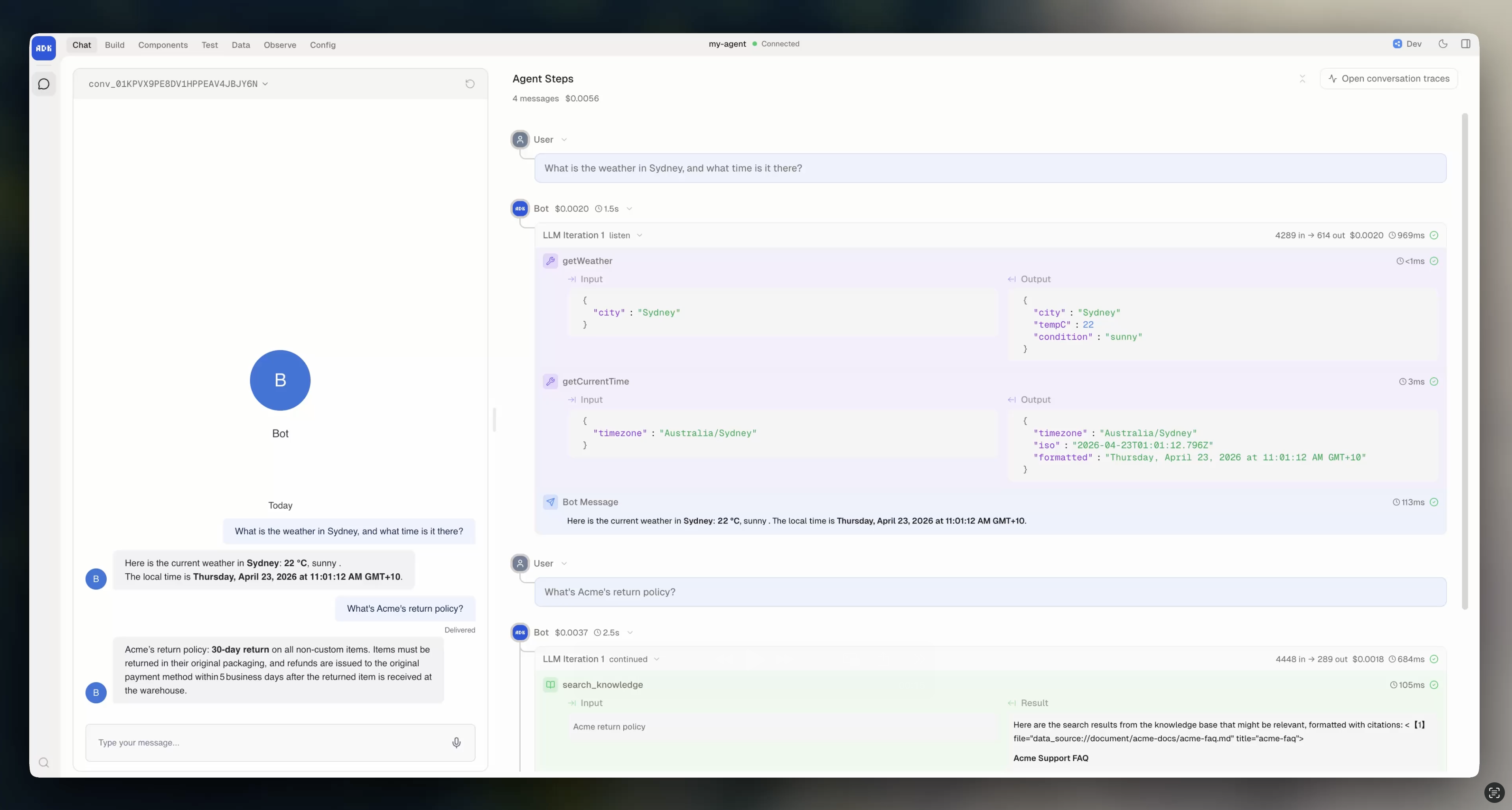
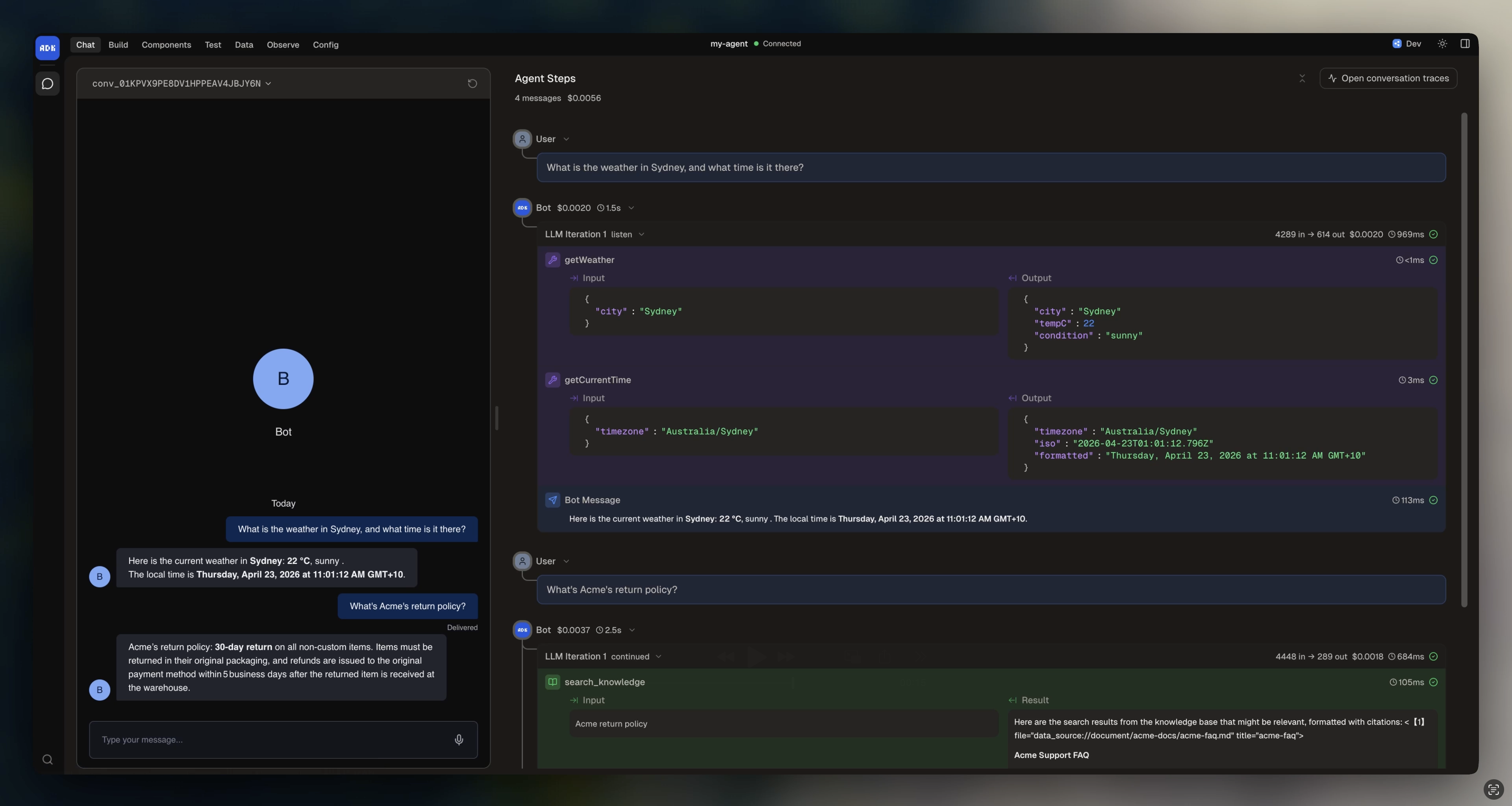
What it shows
For each turn, Agent Steps displays:- User message that triggered the turn
- Tool calls with input and output for each tool the model called
- Knowledge searches showing which queries ran and what passages matched
- LLM reasoning including the code the model generated
- Messages sent back to the user
- Errors if anything failed during execution
- Duration for each step and the total turn
When to use it
Agent Steps is the fastest way to debug during development. Use it when:- The agent gives a wrong answer and you want to see which tool it called (or didn’t call)
- You want to verify the agent is using your knowledge base correctly
- A tool call fails and you need to see the error
- You want to understand the model’s reasoning path
- You’re tuning instructions and want to see how changes affect behavior